
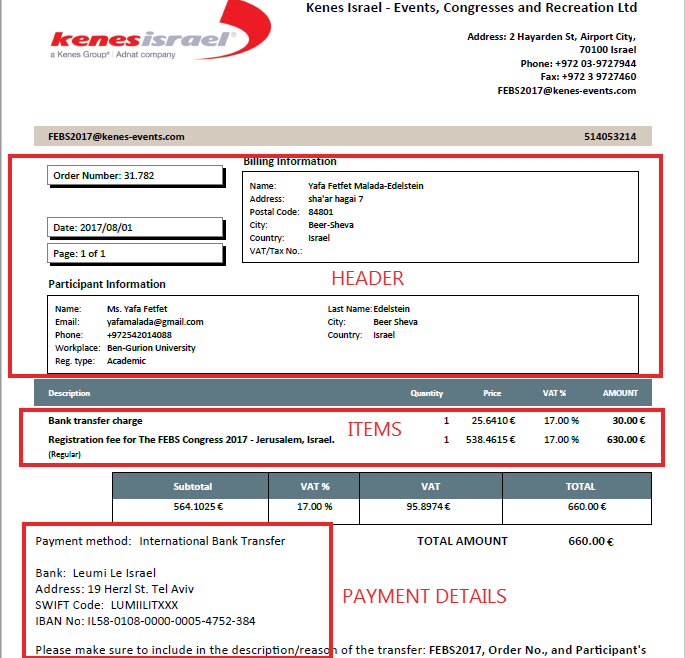
All orders are comprised of a header and item(s). Please an example below:
To edit an order, press the “Order Header” (OH) and/or “Order Items” (OI) buttons on the 'Orders Dashboard'. Orders can be edited regardless of their status. Orders that have already been processed (i.e. funds have been collected, the order confirmation e-mail has been sent, etc.) should not be edited, although you can do so. This allows you to easily accommodate all kind of scenarios(*).
Important Notes
- The updated order details will be instantly shown in the PDFs throughout, including in the registrant’s web account.
- Once you have edited a value in any fields of the order header or items, you will not find the original values. The original order values are replaced by the edited order. The system does not save a back-up of the original order values.
(*)Editing Order header and items attempt to find a balance between automatically applying price calculations based on the settings (e.g. reg. fees and discounts) and allowing the administrators to override such settings to 'force' a price (e.g. changing the price manually to a special value for a certain order).
Comments
0 comments
Please sign in to leave a comment.