
Each and all registrants attending the event should have a confirmed registration order status. Registration orders are to be confirmed whenever organizers receive payments. This confirmation also applies for waived registrations. For more information on order statuses, click here.
- In the left hand menu navigate to Registrations >> Orders Dashboard.
- Click on the red (RP) button of the order you would like to update.
- You will be prompted with a screen (see screenshot below).
- By default the payable amount field will be filled in with the total amount.
- Click "Confirm". This action will update the Order Status to Confirmed.
In addition it offers you the possibility to send an 'Order Confirmed Email'.
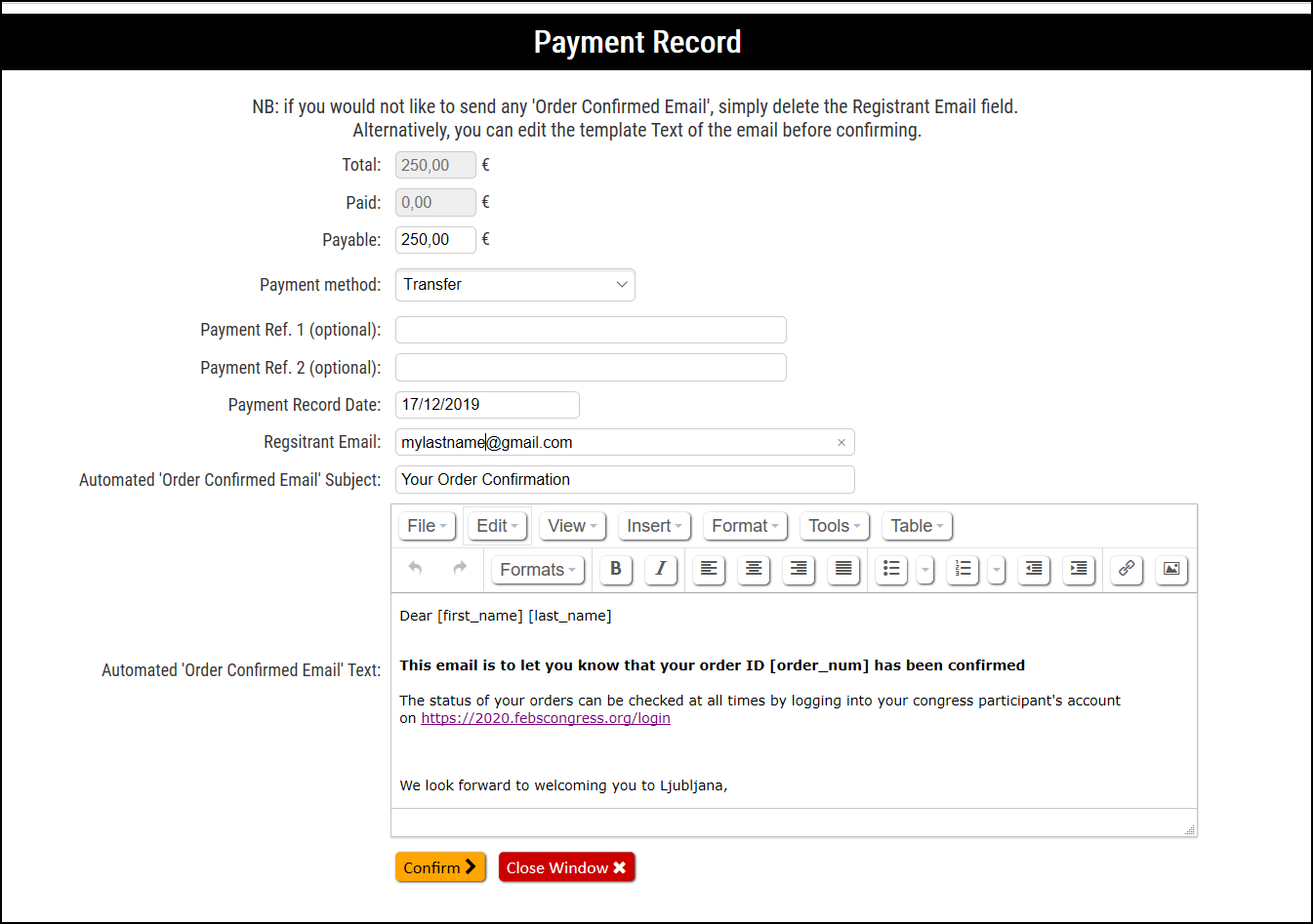
Note: If the payable is different from the total, then the order status will be updated to In Process. For more information about how to handle partial payments on an order, please refer to the article Partial Payments.
Comments
0 comments
Please sign in to leave a comment.